Archive for the ‘Technology’ Category

Adding capabilities to Mac OS X Lion Server

Sunday, December 18th, 2011

This is another "scratchpad" post as I make the transition from Snow Leopard to Lion on my little family cloud server.  Here's why the struggle is worth it for me;

  • Staying with the current release means Apple is updating my platform, which in turn means...
  • Better security/stability
  • Better compatibility with the iGadgets
  • Ease of use

The design philosophy for Server changed just a bit from Snow Leopard to Lion.  Lion Server is built on pretty much the same foundation, but the user-interface has been dramatically thinned out with the aim of making Server something that regular people could use.  I get that, and thing it's a rational decision by Apple.  I was astounded to learn however that I'm in the "advanced user" category and lost some capabilities when this happened.  Who'da thunk it??  :-)

So I've got to go looking for ways to "put back" some of the things I use the server for.  My goal is to either find work-arounds within Lion Server or find bits and pieces of software that I can run on top of Lion to do those things.

This post will be the place where I post my findings -- both about installing and configuring Lion, and solving the little work-around problems.  Should be fun.

Installation puzzlers

Running Lion in a VMWare virtual machine

Turns out that VMWare 4 brought in support for running instances of Lion in a virtual machine.  Kewl!  So I ran off and bought Lion Onna Stick (USB flash drive) from Apple, plugged it into my MacBook Pro, pointed VMWare Fusion at it, accepted the defaults, took a nap and when I came back I had me a Lion machine running on top of Snow Leopard.  Things to do differently from just accepting defaults;

  • Give the VM at least two cores in the CPU (runs a lot better -- I may bump it to four the next time around).  Once Server is installed, my little Lion VM runs just dandy on the 2009 MacBook Pro -- consumes about 5% of the CPU when idle.  Sweet.
  • When building Lion (not server, just Lion) pick a user/computer name that's not a real personal type name -- I ran into conflicts with my personal name in Open Directory because I'd already used it for the core Lion account.
  • Pay attention to networking -- you'll be using the Ethernet adapter a lot more rigorously than the default NAT configuration in VMWare -- I set mine to go directly to the gateway router rather than using the default virtual-NAT.
  • Since we're configuring the basis for a server here (especially if you want it to run Open Directory), this is the best time to get the DNS stuff sorted out.  I waited until later the first few times and the Server install vacuumed up a bunch of wrong-settings as a result.  I think I'll do a little "Networking and DNS" section about all that.  Open Directory's auto-configuration/startup process will break badly if DNS isn't set up right.  I never figured out how to fix it after the fact -- clean install with proper DNS was my path to success.
  • Take lots of snapshots of the VM.  The basic Lion install was pretty clean (except for the wrong-DNS stuff, see below), but I had to fall back to it several times before I got Server settled in properly (especially Open Directory).  The nice thing is that the App Store was quite happy to let me re-download the Server stuff and re-install it once I'd bought it.  I don't know if there's a limit, but I've re-installed Server on top of my clean Lion at least five times so far.  The word "Doh!" covers the reasons-why pretty well.

Networking and DNS for Lion Server

One of the things that really caught me was installing Lion Server behind an at-home gateway router.  In the past I've always been using a data-center router as the gateway and DNS was a no-brainer -- just set up an A Record pointing at the server in DNS and go.  But home routers have a different job to do and those differences got pulled into the configuration of the server in ways that I wasn't expecting.  Here are lessons-learned.

  • I'd never paid attention to the network name of my home router because in normal circumstances it doesn't matter.  But since I am now using it as a gateway out to the "real" internet, it does.
  • My router thought it was in the "lan" domain -- which is fine for a NAT-providing home router.  The trouble came when Lion Server pulled that domain into the name of the server when it talked to Lion during install.  Lion had in turn pulled in that "lan" domain through DHCP during install and built the computer-name with it (Mikes-Mac.lan or somesuch).  Again, this normally doesn't matter, but that's not a good name for a machine that is going to be put out on the public Internet.
  • My solution was to pound the real domain into the home router (CloudMikey.com in my case) before building Lion (yes Lion -- don't wait for the Server install -- many headaches avoided).  That way all the computer-name bits and bobbins will have a real internet-routeable name instead of a non-routeable name.

Replacing Functionality

The good news about Lion Server is that it's built on the same platform as all the earlier versions of Server.  The bad news is that the user interface has been redesigned with a different user in mind.  Not complaining, I get why they did this and it makes sense to me.  But I need to hunt around a bit to "add back" some of the tools that disappeared.  Here's where I'll take notes about that -- my first pass will be based on scouring the Apple discussion-list for Lion Server and then I'll see where I go from there.

Mail -- Mail-forwarding and email-group accounts

My use of the mail server is pretty standard, but I have a few accounts which forward mail to a different address (mostly family members that retrieve their mail from their ISP's server but want a consistent email address, or multiple people instead of just one).  I used the "Mail" tab in Workgroup Manager to do this on Snow Leopard, but that tab is missing in the Lion version of Workgroup Manager.

  • In Lion -- build a filter using the webmail interface.  Once the account has been set up in the Workgroup Manager, log into the account with webmail and add filters that redirects messages to the downstream addresses.  One filter per address (rather than multiple addresses, separated by commas).  There's a limit of 4 destinations per account, which is fine for me -- most of mine are single destination forwarding accounts.  There's a hack to expand that 4-destination limitation but I haven't had to use it.

Mail -- Hosting multiple domains for email

I use several domains for email.  Under Snow Leopard I would add them as as either Local Host Aliases or Virtual Domains in the Mail/Advanced/Hosting tab of Server Admin.  Doh!  They're still there in the new version.  I was looking at Server rather than Server Admin.  Silly me.

Mail -- Email aliases

These work the same as before -- Workgroup Manager.

Web -- SSL on sites

Initial post:

SSL encryption is pretty important to me, especially on web-based versions of wiki, mail, calendar, contacts, etc.  Don't want people logging into those over an unencrypted connection, thank you very much.  So we gotta turn SSL on for some sites, but not all.

Argh.  I struggled with this for far too long. Did all kinds of fooling around with the files in the Apache "sites" folder, only to watch them get overwritten by Server each time I restarted it.  Worked all the way into the "readme" file in the Apache folder, on and on.  Terrible pain in the neck.  Nothing worked

Then I discovered the "Help" system in the Server app (not Server Admin, although the help system is fine there too).  SSL for virtual sites done in a different place.  Which Help told me.  Bah.  Went to the "Hardware/Server/Settings/SSL Certificate/Edit" menu, picked a certificate for the virtual site (and maybe restarted the web service) and it was set.  Does exactly the right thing too -- when somebody goes to an SSL-enabled virtual site, they're automatically redirected to the SSL version.

UPDATE 9-Jan:

Unfortunately, this returns to the "open issue, broken" status.  I've managed to wedge the Server app so that there are two states:

  • State 1 -- everything turned off in the Server app including "web"
  • httpd daemon is running (sites respond to external requests, but with the /var/empty folder)
  • no functionality
  • relatively quiet logs (sample: Jan  9 01:05:32--Jan  9 05:05:31)
  • something odd going on with MySQL, probably unrelated)
  • Jan  9 01:06:29 server SubmitDiagInfo[4016]: Submitted shutdown stall report: file://localhost/Library/Logs/DiagnosticReports/ipfwloggerd,mysqld,sh_2012-01-01-080056_localhost.shutdownStall 
  • something odd going on with xscertd (once an hour)
  • 1/9/12 6:05:24.632 AM sandboxd: ([6369]) xscertd(6369) deny job-creation 
  • State 2 -- "web" turned on, but NO SSL certificates assigned
  • httpd daemon is running (sites respond to external requests, but with the /var/empty folder)
  • no functionality
  • quiet logs -- check logs around 6:52;28 AM for startup messages.  here are interesting ones;

1/9/12 6:52:28.713 AM xscertd: Starting xscertd/1.0.0 (MacOS X Server)
1/9/12 6:52:28.721 AM sandboxd: ([6723]) xscertd(6723) deny job-creation
1/9/12 6:52:31.176 AM servermgrd: servermgr_web: waiting for pid, file /private/var/run/httpd.pid.


  • State 3 -- "web" turned on AND an SSL certificate is assigned
  • httpd daemon is NOT running (browser returns "problem loading page" and "unable to connect" errors
  • To get to this state -- 1) shut down "web" in Server.app at 7:00:08 2) assign cert at 7:01:16 3) restart "web" at 7:03:46 4) shut off "web" again at 7:29:19 5) removed cert at 7:30:43
  • Here's an extract of the interesting log messages:shut down "web" in Server app - 7:00:08 

    Jan  9 07:00:08 server sandboxd[6807] ([6806]): xscertd(6806) deny job-creation
    Jan  9 07:00:09 server servermgrd[808]: servermgr_web: Disabling port forwarding for port 80
    Jan  9 07:00:11 server servermgrd[808]: servermgr_web: waiting for pid, file /private/var/run/httpd.pid.
    Jan  9 07:00:12 server servermgrd[808]: servermgr_web: Enabling port forwarding for port 80
    Jan  9 07:01:10 server CoreCollaborationServer[6852]: [main.m:103 40a280 +0ms] HTTP server listening at loopback:4444
    Jan  9 07:01:10 server com.apple.collabd[6852]: Jan  9 07:01:10 server.cloudmikey.com CoreCollaborationServer[6852] <Warning>: [main.m:103 40a280 +0ms] HTTP server listening at loopback:4444
    Jan  9 07:01:10 server com.apple.launchd[1] (com.apple.collabd[6852]): Tried to setup shared memory more than once
    Jan  9 07:01:10 server wikiadmin[6858]: Updating schema...
    Jan  9 07:01:10 server com.apple.collabd[6852]: 2012-01-09 07:01:10.231 wikiadmin[6858:307] Updating schema...
    Jan  9 07:01:10 server wikiadmin[6858]: Schema updates completed.
    Jan  9 07:01:10 server com.apple.collabd[6852]: 2012-01-09 07:01:10.235 wikiadmin[6858:307] Schema updates completed.
    Jan  9 07:01:15 server servermgrd[808]: servermgr_notification[I]: External configuration change detected, re-loading: c2s.xml
    Jan  9 07:01:15 server servermgrd[808]: servermgr_notification[I]: External configuration change detected, re-loading: Jan  9 07:01:17 server com.apple.launchd[1] (org.apache.httpd[6892]): Exited with code: 1
    Jan  9 07:01:17 server com.apple.launchd[1] (org.apache.httpd): Throttling respawn: Will start in 10 seconds
    Jan  9 07:01:17 server servermgrd[808]: servermgr_notification[N]: jabberd service startup completed.
    Jan  9 07:01:18 server jabberd_notification/router[6886]: [127.0.0.1, port=57627] connect
    Jan  9 07:01:18 server com.apple.APNBridge[6901]: http server appears to have started
    Jan  9 07:01:18 server com.apple.APNBridge[6901]: Connected to XMPP server
    Jan  9 07:01:18 server jabberd_notification/router[6886]: [127.0.0.1, port=57627] authenticated as apn.server.cloudmikey.com
    Jan  9 07:01:18 server jabberd_notification/router[6886]: [apn.server.cloudmikey.com] online (bound to 127.0.0.1, port 57627)
    Jan  9 07:01:18 server jabberd_notification/router[6886]: [127.0.0.1, port=57628] connect
    Jan  9 07:01:18 server jabberd_notification/router[6886]: [127.0.0.1, port=57628] authenticated as pubsub.server.cloudmikey.com
    Jan  9 07:01:18 server jabberd_notification/router[6886]: [pubsub.server.cloudmikey.com] online (bound to 127.0.0.1, port 57628)

  • restart "web" at 7:03:46
  • Jan  9 07:03:09 server xscertd-helper[6808]: idle timer triggered, exiting
  • Jan  9 07:03:46 server servermgrd[808]: servermgr_web: enabling
    Jan  9 07:03:48 server sandboxd[6979] ([6978]): xscertd(6978) deny job-creation
    Jan  9 07:03:49 server servermgrd[808]: servermgr_web: Disabling port forwarding for port 443
    Jan  9 07:03:50 server servermgrd[808]: servermgr_web: waiting for pid, file /private/var/run/httpd.pid.
    Jan  9 07:03:55: --- last message repeated 3 times ---
    Jan  9 07:03:55 server servermgrd[808]: servermgr_web: Enabling port forwarding for port 443
    Jan  9 07:03:55 server servermgrd[808]: servermgr_web: Cannot confirm Apache was started; missing or invalid pid file
    Jan  9 07:07:25 server xscertd-helper[6980]: idle timer triggered, exitingshut off "web" again at 7:29:19
    Jan  9 07:29:19 server servermgrd[808]: servermgr_web: Disabling port forwarding for port 443
    Jan  9 07:29:20 server servermgrd[808]: servermgr_web: waiting for pid, file /private/var/run/httpd.pid.
    Jan  9 07:29:20 server com.apple.launchd[1] (org.apache.httpd[7792]): Exited with code: 1
    Jan  9 07:29:20 server com.apple.launchd[1] (org.apache.httpd): Throttling respawn: Will start in 10 seconds
    Jan  9 07:29:21 server servermgrd[808]: servermgr_web: waiting for pid, file /private/var/run/httpd.pid.
    Jan  9 07:29:25: --- last message repeated 3 times ---
    Jan  9 07:29:25 server servermgrd[808]: servermgr_web: Enabling port forwarding for port 443
    Jan  9 07:29:25 server servermgrd[808]: servermgr_web: Cannot confirm Apache was started; missing or invalid pid fileremoved cert at 7:30:43
    Jan  9 07:29:19 server servermgrd[808]: servermgr_web: Disabling port forwarding for port 443
    Jan  9 07:29:20 server servermgrd[808]: servermgr_web: waiting for pid, file /private/var/run/httpd.pid.
    Jan  9 07:29:20 server com.apple.launchd[1] (org.apache.httpd[7792]): Exited with code: 1
    Jan  9 07:29:20 server com.apple.launchd[1] (org.apache.httpd): Throttling respawn: Will start in 10 seconds
    Jan  9 07:29:21 server servermgrd[808]: servermgr_web: waiting for pid, file /private/var/run/httpd.pid.
    Jan  9 07:29:25: --- last message repeated 3 times ---
    Jan  9 07:29:25 server servermgrd[808]: servermgr_web: Enabling port forwarding for port 443
    Jan  9 07:29:25 server servermgrd[808]: servermgr_web: Cannot confirm Apache was started; missing or invalid pid file
  • 1/9/12 6:52:37.981 AM com.apple.SecurityServer: setupThread failed rcode=-2147418111

UPDATE 12-Jan:

The road to recovery.  I spoke with Apple Support and worked my way up to a Tier-2 support person who helped me out a lot.  He gave me a bunch of great pointers which I'll post here as I use them.  He was very careful to point out that some of this is for experienced folks only, your mileage may vary, if you break it you bought it and some of this may result in something that's so broken that it falls outside the normal free telephone support.  Be careful!

The problem seems to be caused by the way I set the server up.  Y'see, I built the server at the farm and then moved it to the data center.  So the IP address changed.  That IP address gets "baked in" to a bunch of things, and especially the SSL certificate that gets created when the server is first configured.  Moving the server to a new IP-address puts it out of sync with the information in the certificate and that's very likely what's causing the problem.

Step 1 -- Set the Web server back to defaults.

Here's a link to the page in the Advanced Administration guide for Lion Server -- https://help.apple.com/advancedserveradmin/mac/10.7/#apd163efc3a-1465-4a44-ad2d-c76094144512

My sequence of steps was this;

  • Toggle off all the services in the Server application and turned off the SSL cert
  • Run "sudo serveradmin command web:command=restoreFactorySettings" (omit the quotes) repeatedly while at the same time watching the logs in Server.  The command failed several times because it couldn't find copies of various default versions of config files in the /var/apache2/sites/ folder.  Fortunately, I have backup copies of those files so I just replaced them one at a time until the command ran to the end successfully.

Step 2 -- Create a new SSL cert

  • Created a new SSL certificate in the Server application (Hardware/YourServerName/Settings/"Edit" SSL certificate/select the "gears" dropdown/select "manage certificates"/click the "+" button to add a new certificate/select "create a certificate identity"/accept the defaults/)

Step 3 -- Cycle the server and cross fingers

  • Rebooted the server
  • Waited for the logs to quiet down
  • Started the Web service and watched it create it's config files in the apache2/sites folder -- logs were still quiet
  • Assigned the newly-created SSL cert (I wish I could delete the old one but I can't) -- logs are still quiet
  • Turned on the Wiki service -- logs are still quiet
  • So far so good!  I think I'll leave things like this for a while before adding back the other services and the custom web sites.  More updates to follow.

Web -- MySQL

Lion switched from MySQL to PostGres (rumbles of ORACLE lawsuits no doubt) so I've got to start running a "real" version of MySQL so that all the little WordPress sites continue to function.

  • Hm.  MySQL only supports OS X through Snow Leopard -- looks like we're kinda out here on our own.  <shrug, what could go wrong?>
  • Downloads are here  - http://dev.mysql.com/downloads/mysql/ (roll down to the DMG file -- way easier install)
  • Installation instructions are here - http://dev.mysql.com/doc/mysql-macosx-excerpt/5.5/en/macosx-installation.html
  • Documentation is here - http://dev.mysql.com/doc/index.html (haven't used it yet)
  • PHP needs to be tweaked - https://support.apple.com/kb/HT4844 (I only did the "change-sockets to /tmp/mysql.sock" thingy)
  • Installed Sequel Pro (http://www.sequelpro.com/) and tested the installation by creating and dropping a database.

Web - loading up a WordPress site

Let's see how much of the Lion stuff I can use...

  • Point a domain at the server (an A record in DNS)
  • Create a new site in the Server app (using the same domain name)
  • Copy in WordPress files (download them from http://www.wordpress.org)
  • Give ownership to _www user (CD into the folder *above* the folder for the site is and type "sudo chown _www your-site's-foldername" in Terminal)
  • Transmit ownership to all files in the folder (Finder/Get info/Unlock/Permissions/Apply to enclosed items)
  • Create a database (I use Sequel Pro -- create an empty database and a user that has full rights to the database)
  • Create the wp-config.php that points at the database

Web -- point multiple URLs at the same site

I don't do this often, but sometimes I point more than one variant of a domain at a site.

  • Lion way -- create an addition site in the Server app -- new URL, pointed at the same content directory as the first site.  Works fine  Ooops...  things get sticky when doing this -- I wound up with a bunch of Apache site configuration files, and thus the opportunity of conflicts.  Better way...
  • Set the site up in the Server app with *just* the domain name (leave the "www" variant for the next step)
  • Edit the site configuration (file etc/apache2/sites/ip-address-stuff_port-number_domain-name.conf) and add ServerAlias records at the very bottom of the file, just before the closing </VirtualHosts> entry.
  • Like this:
  • ServerAlias www.example.com
  • ServerAlias good.example.com
  • ServerAlias bad.example.com
  • Restart the web server (and clear the browser cache) to check

Web -- redirects

I like to throw redirects into sites from time to time.  In Snow Leopard, this was easily done through Server Administrator but that's gone in Lion.  Adding them into the Apache files isn't too bad though.  Here's how.

  • Open the site file (etc/apache2/sites/ip-address-stuff_port-number_domain-name.conf -- I like the TextWrangler editor for this kind of stuff)
  • Insert a section that looks like this (I lifted this from my Haven2.com file on the Snow Leopard file and stuck it into my Dissembling.com test site);

<IfModule mod_alias.c>
Redirect temp "/rss.xml" "http://feeds.feedburner.com/Haven"
</IfModule>

  • Only need one set of bracketed "IfModule" statements, and stick in as many "Redirect temp" statements as needed.
  • I'll probably just copy these sections over from their files on the Snow Leopard server and see how they work out.
  • Restart the web server (toggle Web off and back on in the Server app)

Web -- separate log files

Some of my domains get a lot of traffic and it's handy to be able to strain out their stuff into a separate log file.  Not a show-stopper but handy.  Once again, the site files in Apache seem to be the place to do this.

  • Open the site file (etc/apache2/sites/ip-address_port-number_domain-name.conf)
  • Change the CustomLog and ErrorLog statements to point at a unique file rather than the default
  • Restart the web server
  • Check to make sure things are working by looking in var/log/apache2 for the new files after the restart
  • Best to open the log files with the Console app -- lots easier to read the files (and get real-time updates)

Web -- rotate log files

I like to have the log files break themselves up into weekly chunks so i can go clear out the old ones every once in a while.  In Snow Leopard, this was easy -- just tick the little box and it did it.  Lion makes me work harder.

  • Open the site file (etc/apache2/sites/ip-address_port-number_domain-name.conf)
  • Change the CustomLog from this:

CustomLog "/var/log/apache2/example_access_log"

  • To this:

CustomLog '|/usr/sbin/rotatelogs "/var/log/apache2/example_access_log" 604800 -360' "%h %l %u %t \"%r\" %>s %b"

  • Change the ErrorLog from this:

ErrorLog "/var/log/apache2/example_error_log"

  • To this:

ErrorLog '|/usr/sbin/rotatelogs "/var/log/apache2/example_error_log" 604800 -360'

One wonders if making these changes to the default version of the configuration file would drive this stuff in automagically.  Might just research that some day.

Web -- permalinks in WordPress sites

WordPress has the ability to change the format of the URLs for posts and pages from the ugly PHP link to a prettier "permalink" structure.  Apache needed to be tweaked in Snow Leopard to make this work right, and it still does in Lion.  Here's how.

  • The etc/apache2/httpd.conf file needs to be changed (only once, the first time through) so that the "AllowOverride" statement in the "/Library/WebServer/Documents/" section reads "AllowOverride All" (there are several AllowOverride statements in httpd.com -- pay attention to which one is being changed).  Note: I'm not sure this step is really required -- my testing was a little horked up and I'm too lazy to repeat it to verify
  • Open the site file (etc/apache2/sites/ip-address_port-number_domain-name.conf)
  • Change the statement "AllowOverride None" to "AllowOverride All" in the "Directory" section
  • Create a .htaccess file in the site directory (use Terminal, CD to the site directory, "sudo touch .htaccess")
  • Change ownership of the .htaccess file to the "_www" user ("sudo chown _www .htaccess") -- this lets WordPress modify the .htaccess file with the permalink rules.
  • Restart the web service in the Server app
  • When all else fails (I had a heck of a time getting the server to write the .htaccess file correctly -- although restarting Finder [Apple-menu/Force-quit.../Finder/Restart] may have cured that problem) I manually edit the .htaccess file.   Here's the code that needs to be in it:
# BEGIN WordPress
<IfModule mod_rewrite.c>
RewriteEngine On
RewriteBase /
RewriteRule ^index\.php$ - [L]
RewriteCond %{REQUEST_FILENAME} !-f
RewriteCond %{REQUEST_FILENAME} !-d
RewriteRule . /index.php [L]
</IfModule>
# END WordPress

Conclusion

Well, none of this is real tough -- so I think I'm about ready to start moving stuff over to the Lion environment.  I'll probably wind up running it under a virtual machine until I've converted everything.  Then I'll explore moving it out of the virtual machine back into a native Lion install on my tiny little server.  Or maybe not.  That's for another day.

Online privacy tips

Tuesday, May 10th, 2011

A friend asked Marcie about reducing her exposure to ads on Facebook and I decided to write up the answer as a blog post so it would be easy to send to others (and update with new stuff). So here is a list of stuff that I do -- your mileage may vary.

Here's where to start.  This is a spectacularly good/fun/accessible description of how to improve your Facebook security (and the security of your computers in general).  Unlike most of these things, this short (20 page) piece is written for regular people who don't want to be yelled at by security geeks.

Now for the stuff that I do...

I use Firefox as my primary web browser (and I keep it up to date), mostly so I can add a gaggle of plug-ins.  Here's the list

  • 1Password -- a great way to manage a bajillion really-strong passwords on web pages, but costs (a little) money
  • Adblock Plus -- a plugin which, once you've subscribed to the EasyList USA filter, gets rid of all the ads on web pages
  • BetterPrivacy -- gets rid of "persistent" cookies that are used by lots of big companies (Google, Yahoo, etc) to track your behavior on the 'net
  • Ghostery -- same sort of thing that BetterPrivacy does, but gets rid of trackers that aren't cookies
  • NoScript -- allows you to choose which pages you trust, and blocks Javascript on all the rest
  • ShareMeNot -- stops those Facebook/Twitter/etc. "sharing" buttons from sharing stuff until you click them
  • Collusion -- visualize who's tracking you in real time
  • Web of Trust -- take advantage of their huge database of "safe" and "unsafe" sites built by other Web of Trust users -- like me.
  • HTTPS Everywhere -- a project of the EFF to redirect to the SSH-encrypted version of popular web sites

I also have peculiar web-browser habits to further reduce the risk that corporations (or other bad-guys) are tracking me

  • I don't log into any of the "big data" services (like Google, Yahoo, etc.) unless I absolutely have to and I log out when I'm done.  They track what you do while you're logged in.  I just did a "What if Google Turns Evil?" podcast if you want to learn more about why I avoid Google services these days.
  • I don't permit the web browser to "remember" any passwords -- I use 1Password for that
  • I disable the "browsing history" feature, so the browser doesn't remember where I've been in the past
  • I disable the "search" and "form" history features too
  • I allow the browser to "accept cookies" and "accept 3rd-party cookies" but I only keep them until I close Firefox, then all cookies are deleted
  • I have the browser open a blank page when it launches (just about every site plants a cookie when you arrive)
  • I disable Google and Yahoo in the "search" choices (they plant cookies when the browser starts)
  • I avoid putting cookie-planting sites (Google, Facebook, etc.) in the shortcuts bar (they plant cookies when the browser starts)
  • I elect to clear history when Firefox closes
  • I close and restart Firefox several times a day, especially after logging into Google, Yahoo, Facebook, etc.
  • I use this link -- http://www.google.com/s2/u/0/search/social?hl=en#gc -- when logged into Google to determine what they know about my social-media connections.   My goal is a blank slate.
  • I use the ICSI Netalyzr to check my DNS service-provider to see if they're intercepting/redirecting some of my traffic (also good for all sorts of performance-improving stuff like identifying "buffer bloat")

I'm sortof a softie when it comes to Facebook, but there are a few things that I do -- all of these can be found in the "Privacy Settings" part of the "Account" menu

  • I periodically run the "Scan for privacy" tool from ReclaimPrivacy.org
  • I'm pretty liberal with what people can see, but very conservative with what they can share about me with other people
  • I'm very aggressive in blocking applications -- I try hard not to sign up for any applications and block them when they appear in my news feed
  • I am pretty aggressive about blocking "bozos" in my news feed.  I don't unfriend them, I just block their inane posts.

There.  That's my list.

Fiber to the farm

Monday, May 2nd, 2011

Hooray!  Our local phone company, good old Nelson Telephone Cooperative, is plowing fiber into our house at the farm over the next few weeks!  You haven't lived until you've seen me, an aging 60 year old geek, doing cartwheels in anticipation.  So here's a post to document the process as it unfolds.

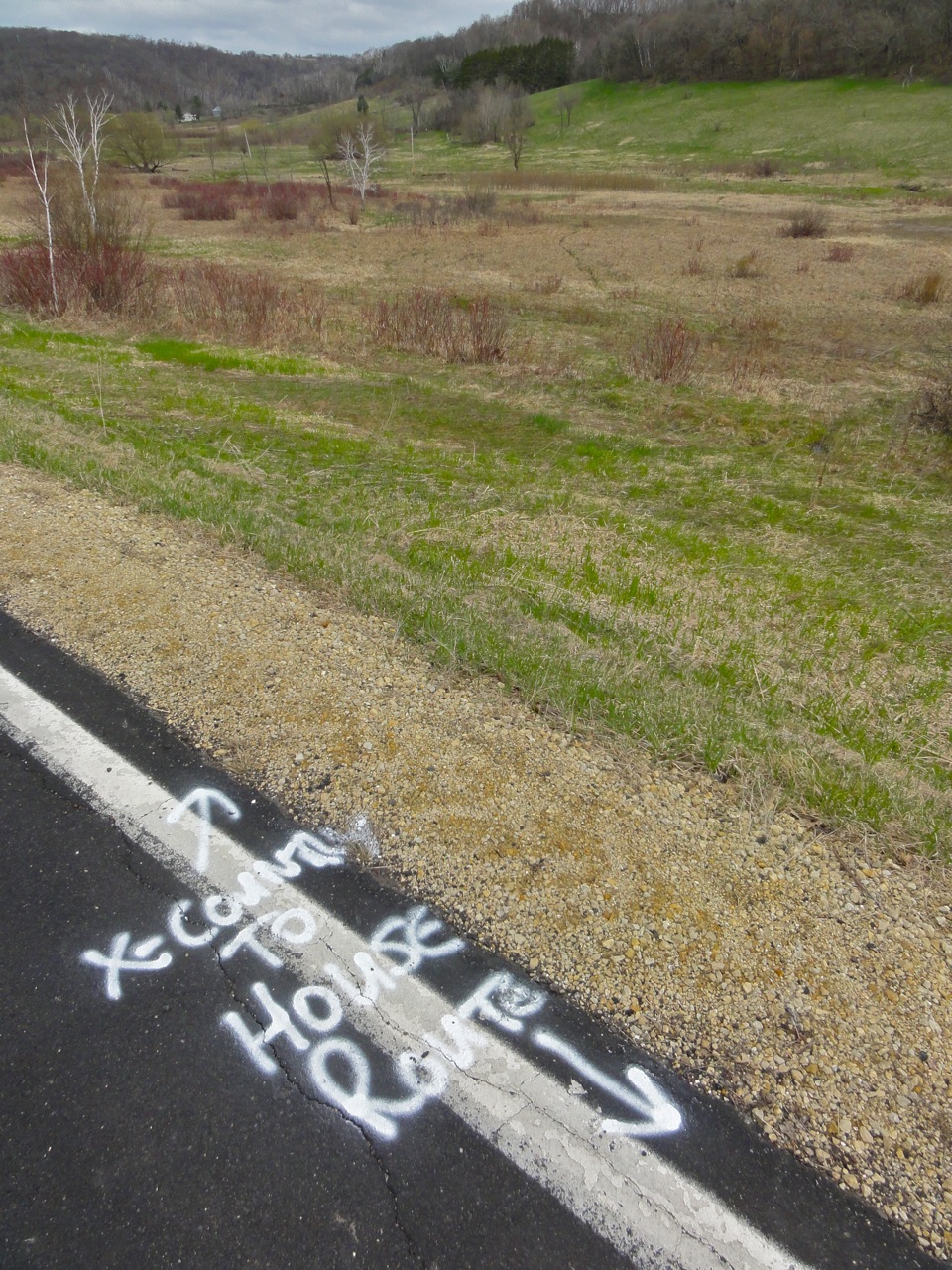
It started with this hint -- marking up Highway 88 to show where the fiber leaves the right of way and heads over the wetland on its way to the house (no, that white building isn't the house...).

Dale Goss of Nelson Telephone and Bob Travis of Finley Engineering came by this morning and took a look at the path the fiber will take from the road across the wetland.  We were a little worried, 'cause when they plowed in the phone line they had a pretty rough time getting across the sedge meadow that's right behind them.  But this time we're plotted a course that will bypass that stuff -- all smiles.  Thanks guys!

Cones in a high-traffic zone


I gave the guy marking out the electric-wires a hard time about putting his cones out -- he's the only vehicle that's been down our driveway THIS WEEK.  :-)


The plow is here!


The plow is coming!  The plow is coming!  This gizmo turned up at our neighbor Emmit's place, just up the road.  I'm so excited I did my first-ever McPlank to celebrate.


Here's a video of the Day of the Plough. It compresses a 10-hour day into 4 minutes. The lads did great -- they avoided all the places we were worried about only got a little bit stuck in the mud. Way to go!

Domain-names — Develop? Park? Sit tight?

Wednesday, September 15th, 2010

Photographer: Gregory Szarkiewicz

I have a gaggle of terrific domain names (bar.com, pub.com, grill.com, etc.) that I've had Since The Beginning.  Over the years I've pondered what to do with them and always come back to "sit tight" as my strategy.  I saw a great article today that lays out the reasons why.  Here's the link:

http://www.domainnamenews.com/domain-development/mass-development-flawed-model/8058#more-8058

Whit Diffie is the new VP of info-security and cryptography at ICANN! Kewl!

Saturday, May 15th, 2010

Very neat news today out of ICANN.  Whit Diffie is this monster figure in the crypto world -- he's one of the founding folks in that circle.  He worked at Sun for ages and now he's joining ICANN.

Click HERE for the ICANN press-release.

Click HERE for a starter-page at Wikipedia.

Click HERE to watch him on an episode of Cranky Geeks (with John Dvorak) to get a feel for what's he's like in person.

I'm really glad to hear that he's joining the ICANN gang.  It'll give us some depth that we badly need in this area.

Why I returned my iPad after 3 hours

Tuesday, April 6th, 2010

Actually the headline promises more than I can deliver.  I don't really know why I returned my iPad after 3 hours.  I guess it just didn't deliver $600+ worth of smiles.  But here are a few things that contributed to the decision...

  • I couldn't figure out how to get my password-minding application (1Password) to work on the iPad, so the killer-long passwords I maintain were impossible to use.
  • What?  No plugins for Safari-mobile?  I saw web-page ads for the first time in 5 years.  Ugh.
  • Picture-intense web-pages like Marcie's tour of the farm would only load about half the pictures and then would stall.  Maybe due to the WiFi problems.
  • I had a really tough time getting used to running one application at a time -- it kinda took me back to my Apple II days.
  • The whole iTunes/Marketplace sandbox weirded me out.  Cory Doctorow's piece spoke pretty loudly on this front.
  • The whole Flash thing and how it breaks so many web sites.  Aside from the conspiracy theories, here's a Flash developer talking about why Flash is a problem on any tablet computer -- the inability to mimic the "mouse over" behavior.

But mostly it just wasn't fun.  So I returned it and took the 10% "restocking fee" haircut.  60 bux,  for 3 hours, so 20 bux an hour...

I think I'll wait for the boatload of Android tablets that seem to be just around the corner.  Maybe they'll make me smile more.  Take a look at this one, featured today on Engadget.  Not one but two cameras, SD slot, USB ports, etc. etc.

UPDATE:

My goodness what a difference a year or so makes.  I now own an iPad 2, think Google is evil and completely disavow any responsibility for this article.  :-)


How OK Go made their latest geek extravaganza

Tuesday, March 2nd, 2010

Complete geek heaven.  Great band.  Great Rube Goldberg device.  4 videos describing the collaboration they put together. Must see, if you're a geek.

http://www.wired.com/gadgetlab/2010/03/ok-go-rube-goldberg/

Consensus decision making — WORT-FM, 1975

Tuesday, March 2nd, 2010

This is a piece by Jeff Lange in Volume One, Number Three of "Spread the WORT" -- the newsletter of WORT-FM (Madison, WI) just as it was going on the air in 1975.  I've always loved this description of the consensus decision-making process we used to run the station.  All due apologies to Pogo...

The big deal?  The sentence that really catches it for me is "we ad WORT don wanna tred up on the wee miroridy vuponts, so we jus wade undill eberyone am finely agreed."  Still works for me today, some 35 years later.  Thanks Jeff!

Here's my translation, since many of you aren't native-English speakers and might find this pretty tough to read in Jeff's native Pogo-style language.  Apologies to Jeff for any mistranslations.

Yes, it's a curious fact, that nobody is ever able to quite explain, how decisions get made at this particular radio station.  But they do.  This is a grievous hard and ticklesum thing for newcomers to digest.  Take, for example, the familiar caller who, in a fever pitch of excitement, has phoned up the station with his or her (or "it's" for that matter) idea for a program.   Rnnng.  He (let's just say it's a "he") says "My dog can bark heavy metal rock n'roll -- can he have 5 hours on Tuesday nights?"   Well, the person at the station (say it is a person) says "Isn't that the same thing as what's on WBRK every night?"  The caller replies "Yes, but my dog barks badder!"  Then that, says the person, is a question for the Program Committee.

The best thing then is if the caller hangs up, thinking all is well for the Program Committee will do its duty.  But if the caller says "Oh, what's the Program Committee?" then the person has to explain: The Program Committee are all the people that come to the Program Committee Meeting.  You can come.  So can your mother.  It's Friday at 8pm.  No, they never vote on anything.  Voting is against the rules.  So is parliamentary procedure. They just talk about things until everyone is agreed, and that is consensus -- the highest form of unanimity.

Then the caller says "oh."

Then the person at the radio station should continue: "Yes, it's a curious fact, but it seems to work.  So far, at least.  We at WORT don't want to tread on the wee minority viewpoints, so we just wait until everyone is finally agreed.  Nope, it's never failed yet...  which just goes to prove: you can make some of the decisions all of the time, and all of the decisions some of the time..."

Then the caller says, "can you put me through to the general manager?"

"No, there isn't a general manager.  Would you like to talk to Sarah-Gene?"

"She the owner?"

"Nope.  She's just another volunteer."

New volunteer job — 37-word long title

Sunday, February 14th, 2010

I'm thinking another fold-out business card may be required;

Volunteer
Vice Chair of Finance and Operations (of the)
Commercial and Business Users Constituency (which is part of the)
Generic Name Supporting Organization (which is in turn part of the)
Internet Corporation for Assigned Names and Numbers

Can you see why ICANN has a bafflegab problem?

I'm quite excited about this one -- it's got lots of tasty issues and it's the ops and finance stuff that I love to do. 

I had another fold-out business card job back in the early '90's.  That fold-out business card read;

Temporary Interim Acting Assistant Associate
Vice President (supervising)
Administrative Information Systems
Business Operations
Quality Management
Operations Improvement (for the)
University of Minnesota

or...  Vice President of Stuff that is Busted.  This new gig is a lot less complicated than that one was.

Infrastructure security – some useful ideas

Wednesday, April 15th, 2009

I was on a panel talking to a bunch of infrastructure-security type people yesterday and came away feeling like we didn't deliver on our promise to provide practical hands-on stuff.  So I'm tossing a couple Powerpoint slide decks up in this post by way of making amends.

This first one is the deck we used in Saint Paul to rally people around the "get ready for Y2k" initiative.  It's an example of how to do non-scary, what's-in-it-for-me? conversation around a pretty tough topic.  Maybe some of this kind of thinking can help the security folks when they're pitching to their customers.  Click HERE for the file (no warrantees -- scan it before you open it).

This next file is a huge deck I put together when I was first briefing the Big Kids at MnSCU about their enterprise security initiative.  This was the basis of selling senior management that this was a Good Thing and showed them how security could make them more money, make them more nimble, improve quality and oh by the way reduce costs.  This is an "everything including the kitchen sink" deck that might have a few ideas for people to steal.  Click HERE for the file (same warrantee as above).

There.  I feel like I've lived up to my advance-billing now.  Hopefully some security mavens will find some useful stuff in these.
High Dynamic Range (HDR) Photography — a hoot!

Sunday, March 1st, 2009

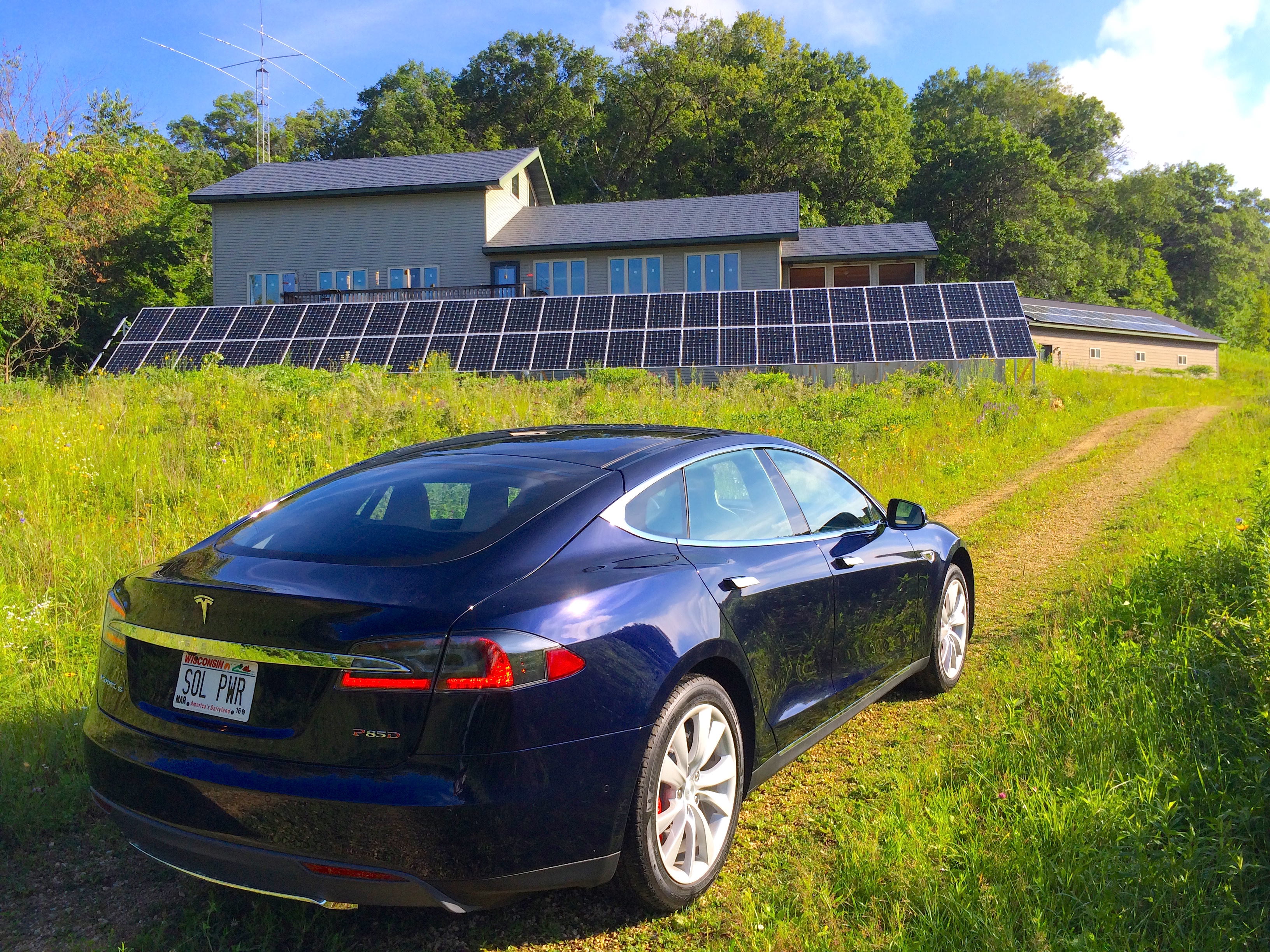
img_2279and8mores

This is another one of those "document what I'm doing so I don't forget" posts.  Thanks to Matt Walsh, I've joined the HDR cult.  This is some kinda fun!

First part of the project was to drop a copy of CHDK on my Canon SD 950 IS point and shoot camera.  Putting this free, open-source code on the camera is one of those projects I've been teetering on for a year or so.  But somehow it either felt Too Hard or Too Scary each time I approached it, so I procrastinated.  I finally did it and I wish I'd done it right off the bat.  Completely easy, completely safe, worked the first time.  So now my cheezy camera does all kinds of cool things -- I can save RAW format files, I can put a histogram up on the screen, all kinds of neat stuff.

And one of the neat things I can do is have the camera "bracket" shots when it's in continuous-shooting mode.  This is an essential part of the process of shooting these HDR photos -- shooting a series of pictures that vary the exposure.

So here's the series of pictures that went into that photo at the top of the page;

img_2275s img_2276s img_2277s img_2278s

img_2279s img_2280s img_2281s img_2282s

So there are eight photos, taken by holding the shutter button down and letting the camera just fire away.  The CHDK software takes the first photo at the best setting the camera can manage and then takes alternating lighter and darker shots until you stop holding the shutter button down.  You can tell the camera how much to increment the exposure -- I have it set to 1 F-stop increments.

Click on the photo at the top of the page and you'll see that there's detail in the darkest spots and the lightest spots.  Pretty cool huh?  Well, I think so...

The software that does the magic is called Photomatix Pro.  You'll see LOTS of cool photos and get lotsa info if you go to that site.  I think their stuff is way neat.  Here's another one (I ran this one through the software before I bought it, so it's got watermarks in it).

img_2257_56_58_55_59_54_60s

Same deal -- click on the photo and you'll get a bigger version.  Now here's the deal -- you're supposed to take these pictures on a tripod (after all, you're stacking 3 to 8 photos on top of each other, they better be lined up).  But the combination of the anti-shake in the camera and the image-aligning capability of the software means that I can get pretty good results from hand-held shots like these.  All of these pictures were shot without a tripod.  There's a little trouble in there, but nothing that'll bother me given what I do with my photos.

Here's the sequence of shots that went into that one.

img_2254s img_2255s img_2257s

img_2258s img_2259s img_2260s

Porto Baradio

Monday, June 2nd, 2008

Ah, the joys of moving. Old things rediscovered after years of sitting lonely and forlorn in the Center Hall Closet. One item that's made it back out into the glory of the light of day is the wedding-gift Porto Baradio that we got from our bestest Madison friends. It was a centerpiece in the place-before-last, got demoted to the closet when we bought Mom and Dad's mid-century modern house and returns to its proper place now that I've got room to see all the radios again.

Is this a cool thing or what? A bar... A radio... All portable... Take that, you iPod weenies.

Domain selling points

Wednesday, June 27th, 2007

I just got back from the latest Traffic conference. 'Seems time for another article in the "Domain names" category.

I've been pecking away on the problem of selling one (or a few) of my remaining domain names to an end user for the last year or so. Last year I decided to issue an RFP for domain brokerage that went precisely nowhere. I have various theories about that, ranging from me being a dope, to me being ahead of the market, but the upshot was that I decided to make a background hobby out of figuring out how to sell domains to end-users rather than domain investors. I'm not exactly cut of the right cloth to do that kind of thing, but it's a great hobby.

To that end, I decided to collect all the good reasons that an end-customer might want to buy a domain for their business. I'm a pretty good listener and some of the bestest domainers are now out there with blogs, so I had some awful smart people to listen to while I was building the first-draft of my case.

As my little draft came together, it seemed like a good list to share with the folks at TRAFFIC and Rick Schwartz was kind enough to give me a slot as a member of the Madison Avenue panel. I sure wish I'd been healthy when I was standing in front of the gang, although enough people asked for the slides to make me think it went ok.

Here's a link to the presentation in PowerPoint format and here's the same thing in outline format;

Sales

  • Beat competitors to prospects
  • Obtain more qualified leads
  • Increase closing ratio

Marketing

  • Expand into a new market
  • Enhance position in current market
  • Consolidate a fragmented market
  • Reinforce brand (or “reverse brand”)
  • Capture mind-share

Finance

  • Improve revenue and profit
  • Reduce or avoid recurring costs
    • Customer acquisition
    • Branding
    • Advertising
  • Own an asset that will continue to appreciate

Operations

  • Provide a memorable, unchanging address
  • Reach a world-wide audience
  • Improve web traffic, search ranking and ad-placement
  • Leverage online advertising expenditures

Trends

  • Web audience – up
  • Online advertising – up
  • Importance of web identity – up
  • Domain valuations – up
  • One-word name availability – nil

Opportunities

  • Capture a category – broadly or narrowly
  • Stand shoulder to shoulder with much larger companies
  • Use social media to selectively enhance brand
  • “Own a word” in the mind of the prospect – and prime your site

As you can see, I'm trying to clump the "solutions to problems" by the type of person in the company. My notion is to write a little something about each of these and use the resulting paragraphs in a book that I would build for each domain. Then, figure out who the 200 best prospects are for the domain, mail them a copy of the book, follow up with phone calls and try to trigger a bidding war between 3-5 interested prospects. I don't know where the spare time to do all this is going to come from, but that's the plan.

TenTec Omni VII — a great idea, but not too secure

Friday, April 20th, 2007

More ham stuff. Sorry gang. I'll get off this kick sooner or later, but this is what I'm obsessing about these days.

Today's rant is about a radio that I'd love to buy, but which has some pretty big security holes for a device that's intended to be hung out on the public Internet.

I've been enchanted with the idea of the TenTec Omni VII and was very close to buying one, mostly because of how easy it is to put it on the Internet and it's "software controlled" architecture. I still think it's a neat radio but pretty bugged by the complacency implicit in it's current design, so I dunno whether this is really the radio for me.

Here's the scoop. I'll lay it out in three different "cases" -- Case One where you're using the Omni VII on your own local network and not punching a hole in your firewall, Case Two where you're letting people get at the Omni VII from the Internet (the usual config I would think -- certainly the one I want to use) and Case Three which is a kludge where you insert a PC between your firewall and the Tentec.

Case One

OmniVIISec3


Omni VII is configured with an “inside the firewall” IP address (eg 192.168.1.5) and an arbitrary port (eg 5432). Firewall is configured to block traffic from the Internet (the usual configuration of a home firewall). The PC accesses the radio on the chosen port, entirely within the local network.

Implications

  • The radio isn't visible from the Internet (unless you're being attacked by a really heavy-duty hacker)
  • The radio's 2-byte (0-65k, all numbers, I think pretty weak) password is not a big issue, as the machine is only being accessed from inside the local network.
  • There is no user-account “ring-fencing” on the radio, so if an intruder (say a child or guest) gets to the radio on the local network, they have complete control, but presumably you can stop them fairly easily by hitting them with a stick or something.
  • Denial of service attacks can only be directed to the firewall, not the radio so even if you're getting pounded on you're probably ok.

Evaluation

  • This is pretty secure. You're running a server (the radio), but you're not exposing it to the Internet, so fishing expeditions to find the radio will fail (with all the caveats about nothing being totally secure).
  • It's also not too useful -- you can only get to the radio from your local network, so the whole point of an Internet-accessed remote-controlled radio is lost.

Case Two

OmniVIISec1

Setup

  • Omni VII is configured with a non-routable “inside the firewall” IP address (eg 192.168.1.3) and an arbitrary port (eg 5432). Firewall is configured to address-translate and forward traffic from a public-routable IP address to that address/port combination.

Implications

  • The Omni VII is a public server that is visible to anybody on the Internet (with all the attendant security concerns that any public server has)
  • The IP-address/port/password combination is visible for port-scanning attacks (the radio does not respond to a query unless all three of those are correct, however)
  • There is no user-account “ring-fencing”, so once the address/port/password have been cracked, all capabilities of the radio (receive, transmit, reconfiguration) are available to the intruder – with profound implications for the radio’s license-holder, who will be held accountable for any malicious behavior.
  • The radio is visible for denial-of-service attacks without the need to hack into the radio

Evaluation

  • The radio is available to anybody on the Internet, there's no capability to distinguish between allowed (white-listed) IP addresses and all others
  • The radio has no limit on the number of failed logon attempts, nor is there any time-delay between attempts, so address/port/password combinations can be presented very quickly
  • The radio doesn’t log failed logon attempts, nor does it have notification capability to alert the owner that their server (radio) is being attacked
  • The full capabilities of the radio are available once it’s been penetrated, there’s no “account” structure, nor is there the concept of granting user-rights in the software
  • The software to access (and exploit) the capabilities of the radio is publicly available on the Internet
  • The source-code of the software is publicly available on the Internet, so a cracker can read the code to understand the handshaking protocol

Rebuttal

I spoke with folks at TenTec about this. Here are some of the concepts they presented to calm me down.

  • The radio doesn't respond unless you get the address/port/password combination correct which makes it pretty stealthy
  • That address/port/password combination represents a lot of combinations for a hacker to try

Those are Good Things. But that defense presumes that the cracker doesn't have a lot of brute force available for their attack -- which makes me nervous in this day of zombie-pools that number as high as 1.5 million computers (here's an article about that).

The kids who develop and trade hacking scripts could easily develop a module that looks for these radios and simply add it to the port-scanning scripts that they're already running. Screaming through 65000 possible passwords per address/port sounds a little extreme, but suppose the Bad Guys are terrorists instead of script-kiddies and they're looking for these radios as part of a broader attack. Combining the script with a zombie-net of a few hundred thousand computers could flush out a lot of radios.

Suggested Changes

The bad news is that this radio is pretty wide open. The good news is that some relatively simple changes could make it a lot better.

  • Increase the size of the password from its current two-byte (65k possibilities) size. Tacking on another byte would get you 16 million possibilities, two more bytes would get you to up to almost 5 billion. A couple bytes of storage seems like cheap insurance.
  • Introduce the concept of authentication failure -- after N attempts the radio won't accept any more attempts for some period of time, after M cycles of that the radio locks out all external log-in attempts until it has been reset from the front panel.
  • Introduce the concept of "accounts" so that the radio's owner could grant varying levels of authority to different users (while at the same time adding another layer of cracking difficulty). I'd like to see at least 4 levels of access;
    • "Eavesdropping" -- for those folks that you just want to let listen to whatever the radio is doing, but not grant any control
    • "Receive only" -- for folks who you'd like to grant SWL rights
    • "Transceive" -- for hams who can use the radio to transmit and receive
    • "Administrator" -- for super-users who can also reconfigure the radio
  • IP-address white-listing and blacklisting as a way to screen out known black-hats and grant rights to your club or friends
  • Some kind of security logging and alert capability, so that if you're getting pounded by a black hat you can figure out what's going on.

"Why all this crud?? After all, this is just a radio for crying out loud" you ask. Well, it's not just a radio any more. It's a server, on the Internet -- a place filled with great folks and other folks who aren't so great. Since we're responsible for what our stations do, I'd like to see some tools to help us protect those resources from being attacked.

Here's one solution, if TenTec leaves the radio the way it is...

Case Three

OmniVIISec2

Setup

Omni VII is configured with an “inside the firewall” IP address (eg 192.168.1.3) and an arbitrary port (eg 5432). Firewall is configured to address-translate and forward traffic from a public-routable IP address to a PC running remote-access software. The PC in turn accesses the radio on the chosen port.

Implications

  • The Omni VII is no longer directly visible to the Internet, the PC is
  • The “signature” of the radio is no longer visible, so intruders won’t be able to find a radio just by port/password scanning, only the PC (which has a firewall, logging and account-structures in addition to passwords)
  • The 2-byte password is now masked behind the PC’s much stronger username/password authentication, plus any authentication provided by the remote-access software -- thus adding two layers of much stronger authentication
  • There is still no user-account “ring-fencing” on the radio, so if an intruder gets to the radio they still have complete control
  • The radio is no longer visible for denial-of-service attacks but the PC is
  • The “connect this radio directly to the Internet” feature is lost, since this approach requires a PC

That last sentence is a killer. As I said at the top of this post, the simplicity of dropping this radio right on the 'net without an intervening PC is one of the two things that drew me to this radio in the first place. Putting a PC in the chain makes me sad -- but I'm really uncomfortable just hanging this device out there on the big bad Internet with the sketchy security that's on it right now.

Marcie says it's time for a walk so I'll stop obsessing about this and go get some fresh air on this beautiful spring day.

I'll give the TenTec folks a heads up and invite them to comment. You're invited to comment as well.

UPDATE:

Some months have passed.  I wound up buying a Kenwood TS-2000 and marrying it up with TRX-Manager in the "Case Three" configuration up above.  I'm really close to testing the over-the-Internet configuration.

But I realized that I need to be able to dump the radio if the computer or software locks up.  Otherwise I could envision the following (bad) scenario...  I'm logged on to the radio.  I key the mic while it's keyed the computer or software crashes.  Now the radio is keyed on and I can't get to it to key it off.

The solution to this problem (remote-controlled power switch) is also a solution to the security problem, hence the update to this post.  Putting the TenTec on one of these switches would make me a lot more comfortable with Case Two because, unlike the TenTec, the switches have more robust username/password security built in.  In that configuration, one could power up the radio when it is needed and leave it powered off the rest of the time.  And, if anybody ever captured the radio, you could power it off.

Here are a couple links to switches that I'm looking at;

Synaccess NP-02 

DataProbe iBoot 

Right now, I'm leaning toward the (geekier, cheaper) Synaccess...

Got my vanity call-sign — KZ0C

Saturday, April 14th, 2007

Another big milestone today in the Ham Radio saga. The FCC granted my request for a vanity call sign and assigned KZ0C to me. KZ... because it was available. 0C ... because i can transmogrify that into OC, which in turn is my last-name initials. A darn nifty call -- 4 letters, easy for me to remember, the domain was available, etc.

Getting call letters for radio stations is what led me into domain-names, which have been a really interesting ride over the years. So this vanity-call nonsense sorta fits into a long-term thread in my life. I was assigned a set of call letters when I got my license a few weeks ago (AC0GY) but I never told anybody about that call because I knew I was going to go for a vanity call as soon as I could and didn't want to confuse people. Now I can go public! Yippee.

Of course I've run out and gotten the domain -- www.kz0c.com points at www.haven.com right now, but I'll probably split the ham radio stuff off to the KZ0C site over time.

I've found some sites that will charge a little fee to do the vanity call-sign application for you, but I thought I'd just list the steps here in case you want to do it yourself. I didn't think it was too bad.

Step 1 -- go hunting for a good call-sign

There are two places I looked when I was hunting for my vanity call sign. The first one I found was Amateur-Radio.org vanity call letter page where they list all the active 4 and 5 letter calls. They don't list 6-letter calls 'cause there are way too many. They also have a lot of useful tips and tricks on that page that I found really helpful in completing the application. Since I wanted a call with "0C" in it, I used the search-text function in my web browser to find calls with "0b" (just before) and "0d" (just after) to see if there were any gaps in the list that implied my "0C" call might be available. Found me a bunch that way.

Next I came across the RadioQTH vanity call-letter page . This one is really handy because it lists all the 4 and 5-letter calls that are available. See that grid on the left side of the page called "Available Calls Sorted By"? That's the place to click -- each of the choices will show a different set of available calls. Again, a little browser-based page-searching for the "0C" string got me a refined list. This page is also helpful in that it alerted me to a few calls that I couldn't get even though they showed up as available on the Amateur-Radio list -- mostly because they are in a two-year wait period.

The last place I stopped, to verify my choices, was the FCC callsign lookup page. This is a part of the FCC Universal Licensing System (which you're gonna have to use to finish this project). I like the fact that the FCC has put this stuff online. The system's a little clunky, but it gets the job done and it sure beats the huge paper-processing hassles I went through when I filed broadcast FM licenses back when I did community radio stations.

Step 2 -- go apply for the call letters

I did this by logging into the FCC's Universal Licensing system and heading over to their vanity call sign page. I found the process to be pretty much like any online-store type thing. The FCC suggests submitting more than one set of call letters so that if my first choice was taken by the time they review the application (which mine was -- my first choice was KQ0c), they can still grant the call. They charge a fee -- I recall it being around $25 -- which covers the license for 10 years. Compared to domain-names, a bargain!

By the way, there's a bug in the FCC's system. When I typed in my choices, the grid was numbered left-to-right then top-to-bottom. But when I looked at the online "reference copy" of the application, the grid was numbered top-to-bottom then left-to-right. But my choices were in the positions that I'd entered them online. Yikes! I called the FCC and the nice person there patted me on the head, said "there there" and assured me that my preference sequence had been preserved. It just shows up wrong in the reference copy of the app.

Step 3 -- bite nails and hope for the best

This is a long tradition amongst people who apply for call letters. It used to drive me nuts back in the community radio days. My favorite story was the first set of call letters I applied for in Madison. I was all set to go with WOMB (in the cradle of the revolution, Madison, WI) until wiser heads prevailed. So we settled on WART (which was available). We submitted the application, nail-biting ensued and dang! We missed that one! I called up the station that got it and asked them why on earth they wanted WART??? They came back saying "because we're an ARTs station!" I came back with "yeah but don't you see? you've got WART!" They were stunned. But they didn't want to give up the call so we settled for our second-choice which was WORT.

Now days the nail-biting is web-enhanced because now you can watch your application fight its way through the process, and you can watch all those other people go after the same calls you covet. The place to do all this is the RadioQTH vanity call page, except this time you click in the "Filed Applications" grid on the right side of the page. I think their database is several days behind the FCC's -- I'm looking at it right now and it doesn't reflect that I've gotten the KZ0C call yet. It still shows my application as in progress, even though they predicted the day that they estimated the call would appear in the FCC database on the nose.

So here I am -- the proud owner of a really neat set of call letters. I'm going to find out everything I can about the previous holder(s) of this call. The person I've found so far is James Bohnsack who lived in Waterloo, Iowa. It seems to me that, since I'm not the first person to occupy this little piece of ham-radio real-estate, I need to honor those who've been here before me. If any family or friends of Mr. Bohnsack happen across this little blog entry, I'd love to hear from you!